

10 Reasons Your Responsive Website Layout Isn't Ranking on Google (And How to Fix It)
- Owen Measures

- 3 days ago
- 5 min read
You've built a gorgeous responsive website. It looks brilliant on desktop, tablet, and mobile. So why isn't it climbing up Google's search results?
Here's the thing: having a responsive layout isn't the same as having a well-optimised responsive layout. Google's mobile-first indexing means your mobile site is now the primary version Google crawls and ranks. If something's off with your responsive design, it could be tanking your visibility without you even realising it.
Let's dig into the 10 most common reasons your responsive website isn't ranking: and more importantly, how to fix each one.
1. Your Images Are Slowing Everything Down
Large, unoptimised images are one of the biggest culprits behind poor page speed. When your hero image takes five seconds to load on mobile, your Largest Contentful Paint (LCP) score tanks: and Google notices.
How to fix it:
Compress images before uploading (tools like TinyPNG work wonders)
Use modern formats like WebP instead of PNG or JPEG
In Wix Studio, enable the built-in image optimisation settings and use responsive image containers that serve appropriately sized images based on the device

2. Content Layout Shift Is Driving Visitors (and Google) Mad
Ever been reading something on your phone and suddenly the text jumps because an ad or image loaded? That's Cumulative Layout Shift (CLS), and it's a Core Web Vital that directly affects your ranking.
How to fix it:
Always define dimensions for images, videos, and ads
Reserve space for elements that load dynamically
In Wix Editor and Studio, use containers with fixed aspect ratios so content doesn't shift as the page loads
Avoid inserting content above existing content unless triggered by user interaction
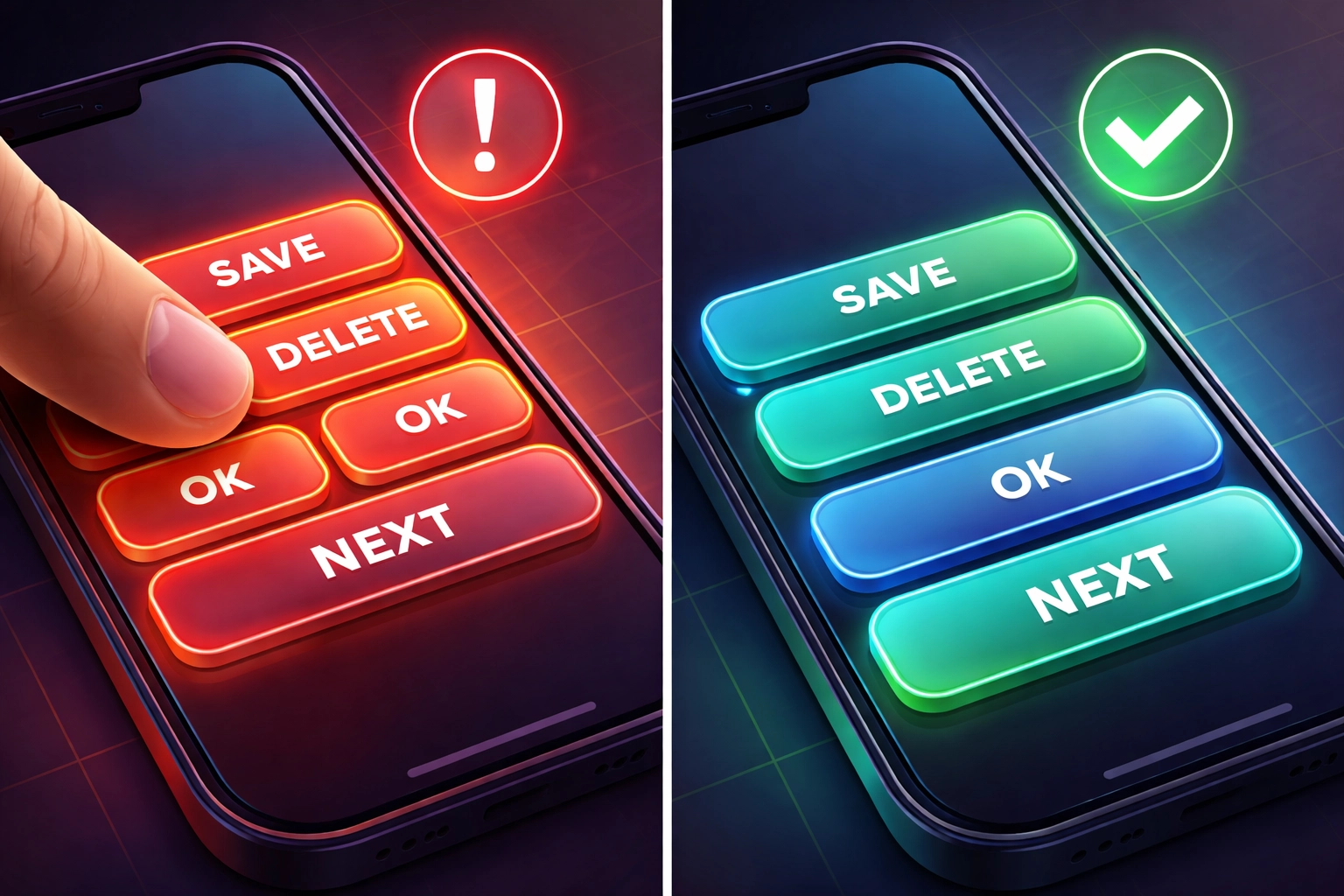
3. Your Touch Elements Are Too Close Together
On mobile, tapping the wrong link because buttons are crammed together is incredibly frustrating. Google's mobile usability guidelines specifically flag this as a problem.
How to fix it:
Ensure tap targets are at least 48x48 pixels
Add adequate spacing between clickable elements
Test your site on actual mobile devices, not just browser simulators
Wix Studio's responsive breakpoints let you adjust padding and margins specifically for mobile views

4. You're Hiding Content on Mobile
Some designers hide content on smaller screens to keep things "clean." The problem? Google indexes your mobile content first. If it's hidden, it might as well not exist.
How to fix it:
Present the same core content across all device sizes
If you must use accordions or expandable sections, ensure the content is still crawlable (avoid JavaScript-only reveals)
Use CSS to reflow content rather than completely removing it
In Wix, be cautious with the "hide on mobile" feature: use it sparingly and never for important text or links
5. Your Mobile Navigation Is Breaking Internal Links
Swapping your standard HTML menu for a fancy JavaScript-driven hamburger menu might look sleek, but if Google can't follow those links, your internal pages won't get crawled properly.
How to fix it:
Ensure your mobile menu uses proper anchor tags (<a href="">) rather than JavaScript-only navigation
Test your navigation with Google Search Console's URL Inspection tool
Wix automatically handles navigation links properly, but if you've added custom code, double-check that links are crawlable
6. Your Text Is Too Small to Read
If visitors need to pinch and zoom to read your content on mobile, you've got a problem. Google considers text size a mobile usability factor.
How to fix it:
Use a base font size of at least 16px for body text
Ensure line height is comfortable (1.5 is a good starting point)
Set up proper responsive typography that scales appropriately
In Wix Studio, use the text scaling features to adjust font sizes across breakpoints without manually editing each element
7. Intrusive Pop-ups Are Blocking Your Content
Google has been penalising intrusive interstitials since 2017. If your mobile visitors are greeted by a full-screen pop-up the moment they land on your page, expect ranking penalties.
How to fix it:
Avoid pop-ups that cover the main content immediately on page load
Use banners instead of full-screen overlays where possible
If you must use pop-ups, trigger them after user engagement (like scrolling 50% down the page)
Cookie consent banners are generally fine, but keep them minimal
8. You've Overloaded Your Site with Scripts and Animations
Fancy animations and third-party scripts might look impressive, but they can absolutely destroy your performance metrics. Interaction to Next Paint (INP) measures how quickly your site responds to user input: and script-heavy sites often fail this test.
How to fix it:
Audit your third-party scripts and remove anything non-essential
Defer non-critical JavaScript
Limit animation complexity, especially on mobile
Wix Studio handles a lot of optimisation automatically, but be mindful when adding custom code or heavy third-party integrations
9. Your Structured Data Is Missing on Mobile
Structured data helps Google understand your content and can earn you rich snippets in search results. If your mobile version is missing this markup, you're leaving visibility on the table.
How to fix it:
Ensure structured data is present and identical on both desktop and mobile versions
Use Google's Rich Results Test to verify your mobile pages
Wix includes built-in structured data for common elements, but you may need to add custom schema for specific content types
10. You're Not Testing on Real Devices
Browser dev tools are handy, but they don't perfectly replicate real-world mobile performance. Different devices, network speeds, and browsers can all affect how your site performs.
How to fix it:
Test on multiple physical devices (borrow phones from friends and family if needed)
Use tools like Google's PageSpeed Insights and Lighthouse for performance audits
Check your Core Web Vitals in Google Search Console regularly
Pay attention to field data (real user metrics) not just lab data

The Bottom Line
Responsive design is absolutely essential in 2025, but it's not a set-and-forget solution. Google's algorithms are sophisticated enough to detect when a responsive site isn't actually providing a good mobile experience.
The good news? Most of these issues are fixable without rebuilding your entire site. Start by running your pages through Google PageSpeed Insights and addressing the biggest issues first. Focus on your Core Web Vitals: LCP, CLS, and INP: and work your way through the list above.
If you're using Wix Studio or Wix Editor, you've already got access to solid built-in optimisation tools. Make sure you're using them properly, and don't be afraid to dive into the responsive settings for each breakpoint.
Need a hand getting your website to rank better? At WebOws Design, we specialise in creating responsive websites that don't just look good: they perform. Whether you're in Newport, London, Leicester, or anywhere else in the UK, we'd love to chat about how we can help your site climb those rankings.
Check out more tips and insights on our blog, or get in touch to discuss your project.
Comments